
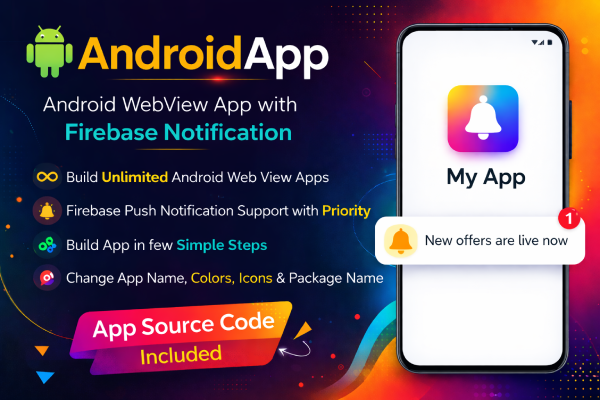
Android WebView App with Firebase Push Notifications
Convert any website into a fully functional Android app quickly and easily using this Android WebView App source code.
This app includes Firebase push notification support with priority notifications so you can instantly send updates, offers, or important messages to your users.
The project is built using Android Studio and is designed to be simple to configure and customize. You can easily change the app name, package name, icon, and colors to launch your Android app within minutes.
Key Features
- Convert any website into an Android app
- Firebase Push Notification support
- Priority notification support
- Clean Android Studio project
- Fast and easy setup
- Modern splash screen
- File upload support
- Download manager support
- Open external apps like WhatsApp, phone and email
- Supports modern Android versions
- Easy customization
What You Can Do With This App
- Build unlimited Android WebView apps
- Convert your website into a mobile app
- Send push notifications using Firebase
- Promote offers and updates instantly
- Launch your Android app quickly
Perfect For
- E-commerce websites
- WooCommerce stores
- Blogs and news websites
- Business websites
- Content platforms
- Online services
Customization Options
- Change app name
- Change app icon
- Change package name
- Modify splash screen
- Customize colors and branding
Included in the Package
- Full Android Studio project source code
- Firebase push notification integration
- Ready to build Android app
- Easy configuration
Requirements
- Android Studio
- Firebase account for push notifications
- A website URL to load inside the app
Why Choose This Android WebView App?
This Android WebView app makes it extremely easy to convert your website into a powerful mobile application.
With Firebase push notifications and priority notification support, you can keep users engaged and send updates instantly.
It is lightweight, fast, and simple to customize, making it ideal for developers and website owners who want to launch their Android app quickly.
How to Build the Android App
- Download the project source code after purchase.
- Extract (unzip) the downloaded project file on your computer.
- Open Android Studio and select Open Project.
- Navigate to the extracted project folder and open it in Android Studio.
- Open the strings.xml file to customize the app:
- Change the App Name
- Change the Website URL
- Change the App Package Name to your own package name.
- Connect the app with your Firebase project to enable push notifications.
- Click Build → Build APK or Build → Build App Bundle.
- Your Android app is ready to publish on the Google Play Store.
Only logged in customers who have purchased this product may leave a review.
Item support includes:
- Availability of the author to answer questions
- Answering technical questions about item’s features
- Assistance with reported bugs and issues
Item support does not include:
- Customization services
- Installation services
Android WebView App with Firebase Push Notifications
₹1,999 Original price was: ₹1,999.₹999Current price is: ₹999.
License Type
Get a flexible pricing option with This Product
Yearly
- 1 Year Validity
- 1 Year Updates
- 1 Year Support
Lifetime
- Lifetime Validity
- Lifetime Updates
- 1 Year Support
Join & Earn Commission
Become an Affiliate Partner & Earn upto 20% Commission on each purchases made by new customers you refer to Themeplace.
Reviews
There are no reviews yet.